
This update introducesPrompt to State Machines, an AI-powered way to build logic and transitions simply by chatting. It also adds key fixes across theming, color, and timeline performance.
This update introducesPrompt to State Machines, an AI-powered way to build logic and transitions simply by chatting. It also adds key fixes across theming, color, and timeline performance.
This update focuses on smoother editing and a more polished experience. You’ll notice improvements to keyframing behavior, cleaner notifications, and refined UI details, along with several fixes for timeline, masking, and import stability.
Creator v1.58.0 introduces the powerful newEasing Editorfor precise motion control, along withtimeline zoomingfor finer timing adjustments and improvedSVG import handlingfor cleaner layer separation. This update also addssocial sharing for remix links,duplicate state machines, and a range of fixes and UI enhancements for a smoother animation experience.
This release introduces the newKeyframe Assistantto speed up animation workflows, along withSmart Duplicatefeature. Combined with key fixes and performance upgrades, Creator V1.54.2 makes building animations smoother, faster, and more reliable.
IntroducingState Machines, a new way to make your Lottie animations interactive. Instead of playing straight through, animations can now branch, respond, and react to user actions or conditions.
Creator is out of beta with the release ofCreator V1. This update introduces a redesignedMotion Presets pluginin the left panel, an improvedText toolfor adding vector text, and powerful new features like theSpring Curve plugin,Blend Modes, andState Machines for interactive animations.Along with major rendering and stability improvements, Creator V1 is faster, more reliable, and ready for production workflows.
Add natural, physics-based motion to your designs with the new Spring Curve plugin. Choose from presets likeBouncy, Snappy,orElastic,and fine-tune tension, friction, and mass for full control.
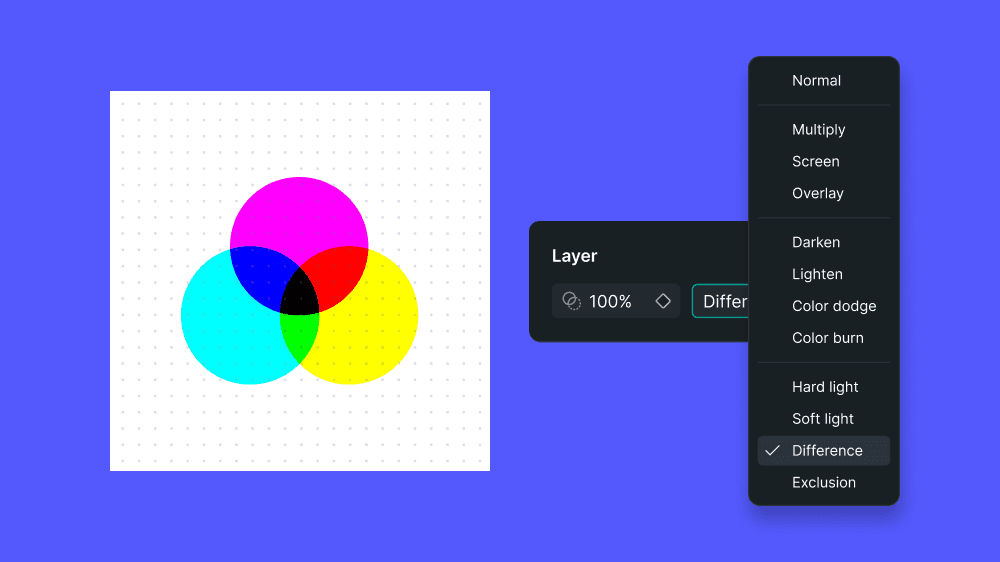
Apply blend modes to any container or group layer for richer visuals and creative control. Find the controls in the Properties panel, right next to opacity, and experiment with options like Multiply, Screen, and Overlay to bring your designs to life.
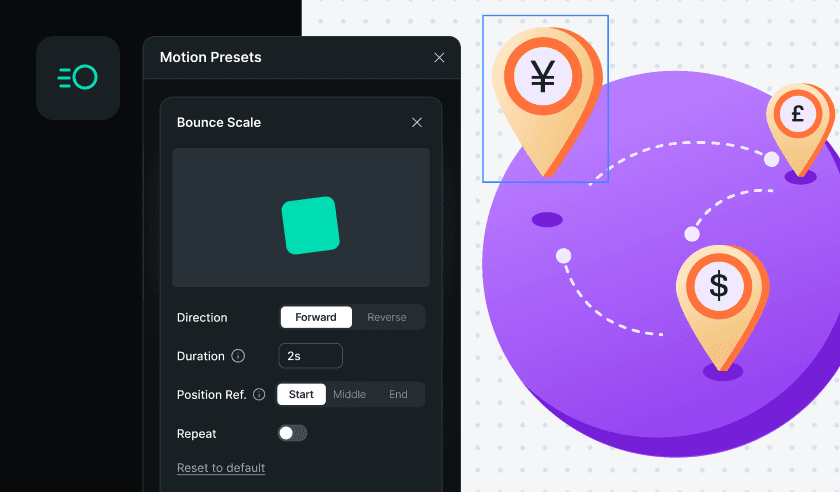
Motion Presets have a new home in the left panel, making it easier to browse and apply animations while you work. Explore a refreshed library of presets, customize them with advanced controls, and even turn your own timeline motions into reusable presets. Save them for personal use or share them with your workspace to keep animations consistent across projects.
We’ve given the LottieFiles website a fresh new look plus some behind-the-scenes upgrades to make everything feel faster and easier to use