New Layer Effects: Blend Modes
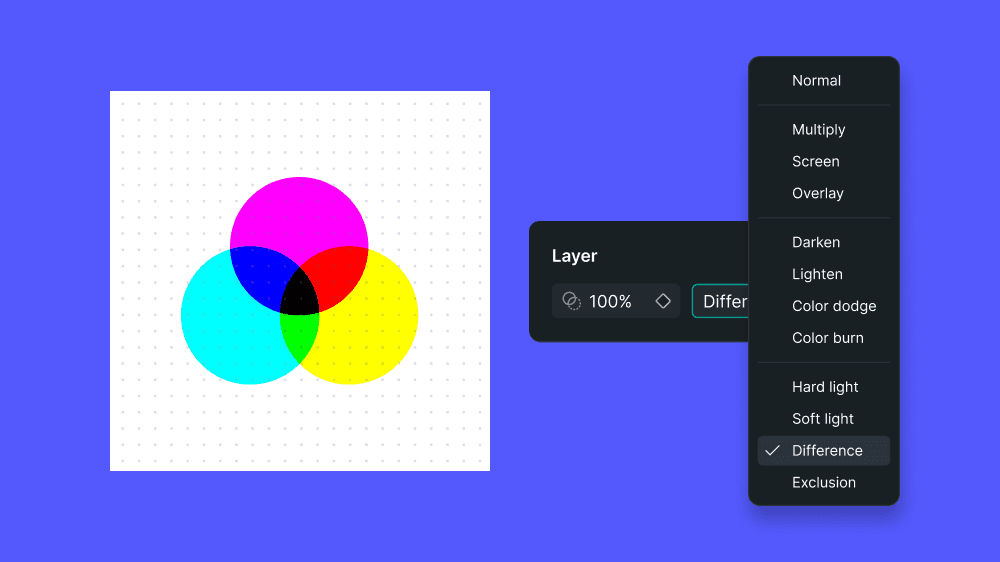
With the introduction ofBlend Modes, you can now control how layers interact visually inside Creator. Apply blend modes to anycontainerorgroup layerto achieve richer visuals, depth, and stylistic overlays without leaving your design environment.
You’ll find the newBlend Mode controls in the Properties panel on the right, next to the layer opacity setting, making them quick and easy to access while you work.
Choose from familiar options likeMultiply, Screen, Overlay, Darken, Lighten, Color Dodge, Color Burn, Hard Light, Soft Light, Difference,andExclusionto fine-tune how colors and shapes combine. Whether you’re experimenting with subtle highlights or bold compositing effects, blend modes give you powerful creative flexibility directly on the canvas.