Creator features
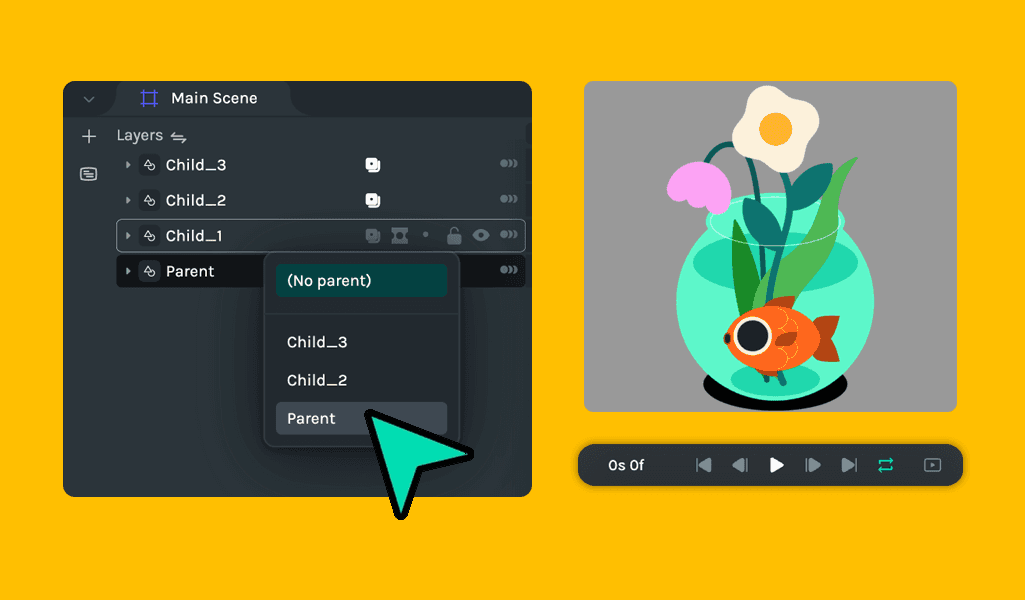
Parent Constraint
🎉 What's new
- Introduced auto-save functionality when a user moves to a different tab for seamless work continuity.
- Revamped the “Get Started” experience for a smoother and more intuitive onboarding process.
- Added parent constraint support, resolving multiple issues with unsupported Lottie files and fixing several duplication issues.
🔧 Improvements
- Improved performance during canvas zooming, enhancing user interaction with the design space.
- Importing from the public animations or Get Started panel no longer creates an additional scene, streamlining the workflow.
- Styles on property panel and the “Make a Copy” popup have been updated for a cleaner UI.
- Public animation detail panels are now scrollable to avoid content being hidden.
- Bounding box updates: Object bounding boxes now reflect properly upon transformation.
- Expanded layers now automatically show when keyframes are added through Animation Presets.
🪲 Bug fixes
- Resolved issue where Save functionality failed due to large payload sizes.
- Fixed the Save icon and toast notifications not updating accurately.
- Resolved various import issues, including duration, FPS, and canvas size inconsistencies when importing Lottie files.
- Fixed blank screen issue when undoing actions in the “Get Started” panel.
- Corrected multi-selection translation undo and dragging keyframes issues.
- Resolved z-index conflicts between the “Get Started” modal and timeline popup menus.
- SVG layers now properly selectable on the timeline after import into nested scenes.
- Error text toasts are displayed correctly, with improved conditions for appearance.
- Resolved issue with layers being cropped incorrectly during keyframe manipulation.